Happy Birthday, Apple!

For today’s Apple’s 50th anniversary, I didn’t write a special blog post. Maybe I should have. I kind of forgot about it, even though I wrote about it a few days ago. Anyway, a few years ago, I wrote about the root of my passion for Apple. I’m not sure this article aged well, though. Nonetheless, Apple and Steve Jobs played a major role in defining who I am today, that’s for sure.

9to5Mac’s article “Vibe coding could mark the end of the App Store review process as we know it”:

The rise of AI-powered “agentic coding” has overwhelmed Apple’s App Store review process, with developers reporting review times of 3+ days to a week instead of the traditional under-24-hour turnaround. The influx of fully AI-generated apps from new developers has created a bottleneck for human reviewers, making it unfair for established developers whose update submissions are delayed. To address this, the author suggests Apple could implement separate review queues for established developers or automate updates while maintaining human review only for new submissions, though it may ultimately become necessary to reduce or eliminate full human review.

I don’t see the current review process at Apple as sustainable. I imagine parts of the workflow are already automated (like finding tentative of private API usage). But, just for vibe coding, reviewing app submissions should be supervised, and human gated.

Takeaways From Building a Custom Micro.blog Theme Using Claude Code and Claude AI

Building a custom visual theme for Micro.blog presents unique challenges at the intersection of web design, static site generation, and AI-assisted development. This blog post captures practical insights and lessons learned from creating a custom theme with Claude Code and Claude AI, including key considerations on Hugo compatibility, plugin conflicts, and theme architecture.

  • Claude AI isn’t well-trained on Micro.blog architecture and dependency on Hugo static website generator. Claude doesn’t make a clear distinction between Hugo’s capabilities and Micro.blog’s unique features.
  • Plugins are a challenge because they might inject conflicting formatting instructions into your custom-built theme. It’s hard to debug.
  • Plugins can conflict with each other.
  • Don’t use the latest Hugo version (0.158) and stay on 0.117 if you use many plugins. By removing low-value plugins, you increase your chance of using version 0.158.
  • The workflow for updating a GitHub repo hosting your custom theme to the deployment on The process of Micro.blog is tedious because it’s manual and slow, especially for large websites and Hugo rendering engine. Hugo 0.158 could help, unless it conflicts with one plugin that you need.
  • More than ever: less is more. Keep it simple, and problems will be kept at bay: removing low-value plugins can make a big difference.
  • Test the website after each plugin removal, force a rebuild of the entire site to cleanup things. It’s slow but it might help debug later.
  • If a plugin introduces support for smart code in blog posts, after removing that plugin, Hugo will generate errors. These blog posts need to be either updated or deleted.
  • If the custom-built theme covers a specific design area, like a /photos page, don’t use a plugin touching the same area, prioritize the custom-built theme and skip the plugin. The idea is to have a self-contained custom theme.
  • Stay away from abandoned-ware plugins.
  • Prefer adding stuff in the custom theme instead of relying on an external plugin, so the theme is self-contained.
  • The lower the number of plugins, the better the chance you can use the latest version of Hugo.
  • Using the custom.css functionality, which helps externalize and override the custom-theme’s styling, speeds up testing different styling options.

Creating a custom Micro.blog theme using Claude AI revealed both the power and limitations of AI-assisted development in specialized ecosystems. While the tools provided invaluable support, the real breakthroughs came from hands-on debugging and understanding the unique interactions between Hugo, Micro.blog, and plugins. These takeaways form the foundation for a more robust theme architecture—one that will continue to improve with future iterations. I’m still not done with my design. As I progress, you can visit my test blog.

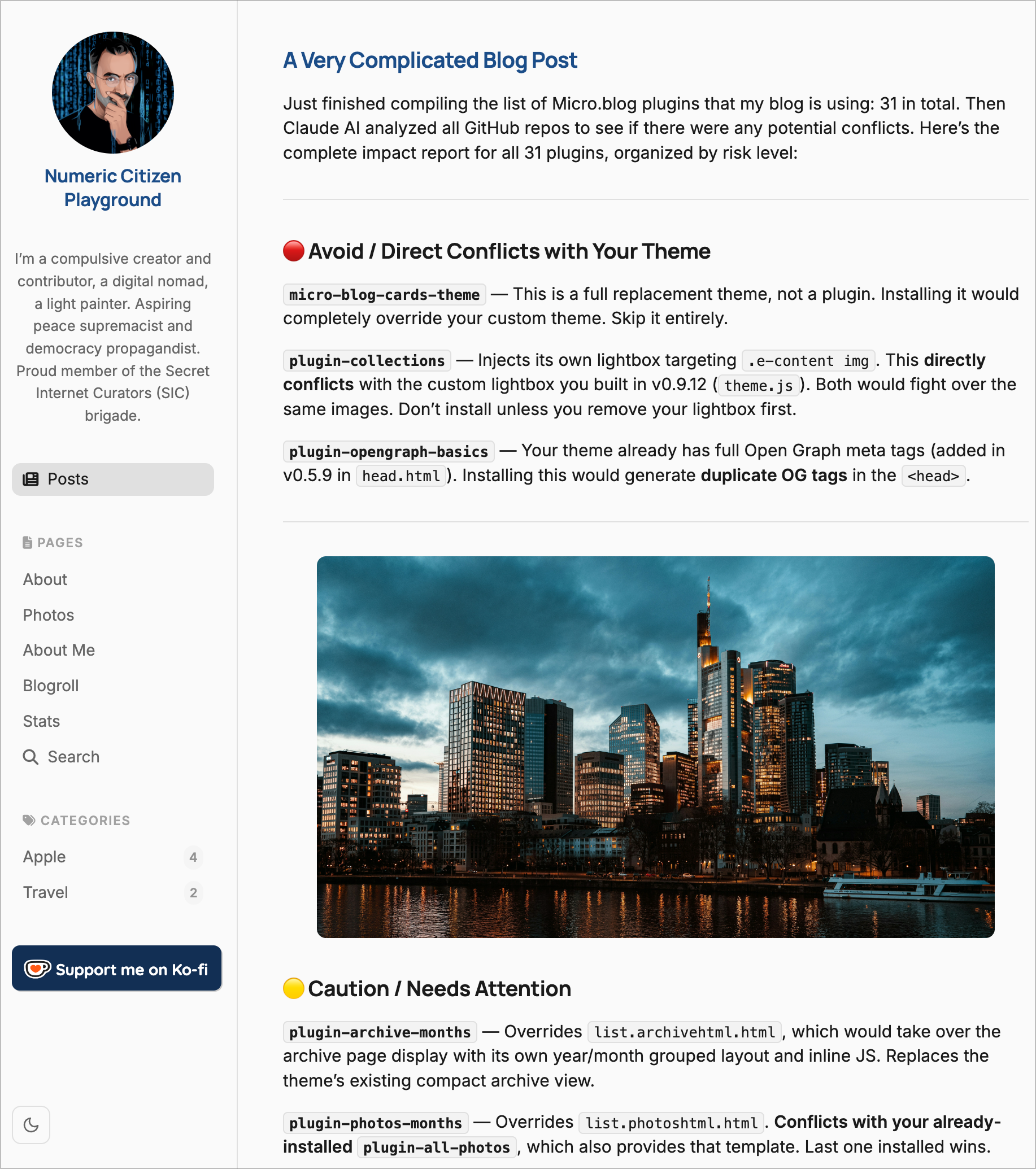
A Very Complicated Blog Post

Just finished compiling the list of Micro.blog plugins that my blog is using: 31 in total. Then Claude AI analyzed all GitHub repos to see if there were any potential conflicts. Here’s the complete impact report for all 31 plugins, organized by risk level:


🔴 Avoid / Direct Conflicts with Your Theme

micro-blog-cards-theme — This is a full replacement theme, not a plugin. Installing it would completely override your custom theme. Skip it entirely.

plugin-collections — Injects its own lightbox targeting .e-content img. This directly conflicts with the custom lightbox you built in v0.9.12 (theme.js). Both would fight over the same images. Don’t install unless you remove your lightbox first.

plugin-opengraph-basics — Your theme already has full Open Graph meta tags (added in v0.5.9 in head.html). Installing this would generate duplicate OG tags in the <head>.

🟡 Caution / Needs Attention

plugin-archive-months — Overrides list.archivehtml.html, which would take over the archive page display with its own year/month grouped layout and inline JS. Replaces the theme’s existing compact archive view.

plugin-photos-months — Overrides list.photoshtml.html. Conflicts with your already-installed plugin-all-photos, which also provides that template. Last one installed wins.

plugin-screenshots — Also overrides list.photoshtml.html. Same conflict with plugin-all-photos.

kottkrig/microdotblog-photos-page — Also overrides list.photoshtml.html. Same three-way conflict. Pick only one photos page plugin.

stoot — Its CSS expects CSS custom properties (--gray-*, --white, --black, --link, --text-base) that your theme doesn’t define. Mastodon embeds will render with broken/missing styles. Fixable by adding those variables to style.css.

plugin-post-stats — No dark mode support in its CSS. The stats page cards and Chart.js charts will look visually inconsistent in dark mode. Fixable with CSS overrides.

plugin-bigfoot — Already analyzed. jQuery 1.12.4 (~90KB) loaded on every page, and footnote popover CSS won’t respect dark mode. Set post_separator = "article.h-entry" when installing.

plugin-conversation-on-mb — Adds a “View conversation on Micro.blog” link, but requires manually calling {{ partial "conversation-link.html" . }} in your theme’s single post templates. Your theme already loads Micro.blog’s conversation.js via microhook-after-post.html, which renders the full conversation box. This plugin adds a different thing (a link vs. a box), so they don’t conflict — but it needs a manual theme edit to integrate.

plugin-reply-by-email — Same situation: requires {{ partial "reply-by-email.html" . }} manually added to your single post template. Your theme already has reply.js for native Micro.blog replies. These serve different purposes (email vs. Micro.blog) and can coexist, but need a theme edit.

plugin-reply-on-mastodon — Repository returns 404. No longer exists.

plugin-search-space — Creates a /search-space/ page (different URL from your installed /search/ page). Having two search pages could confuse visitors. Pick one.


Bottom line: The most important things to avoid are plugin-collections (lightbox conflict) and plugin-opengraph-basics (duplicate OG tags). For the photos page, pick only one of: plugin-all-photos, plugin-photos-months, plugin-screenshots, or kottkrig/microdotblog-photos-page.

I’m not sure everything has been analyzed correctly, especially when it comes to photo-related plugins.